To show page numbers or total pages in your PDF catalog:
Open your PDF Template in the builder
Insert a text element (in the Header or Footer,…)
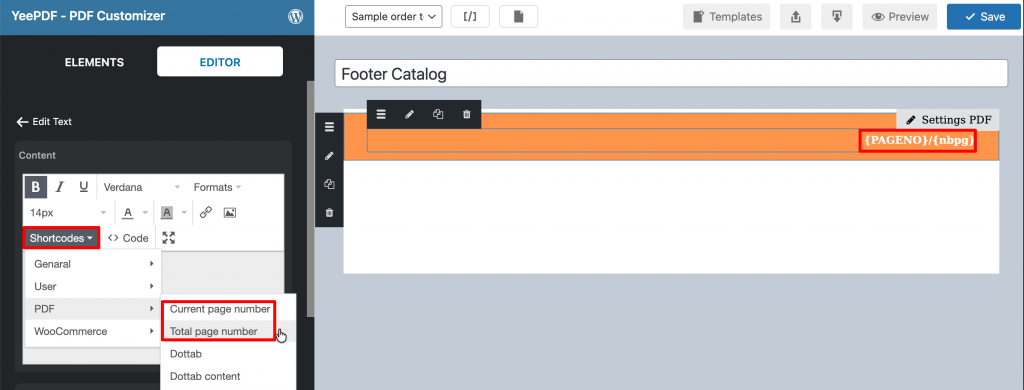
Click inside the text editor and open the Shortcodes menu – PDF
Choose one of the following options:
- Current page number
- Total page number
You can combine both to display, for example: Page {PAGENO} / {nbpg}
Adjust alignment and font size as needed.
Click Save and Preview the PDF.